Heatmaps
Heatmaps aggregate many sessions into a picture of where people click and how far they scroll, so you can spot ignored buttons, confusing folds, and dead zones without opening every recording.
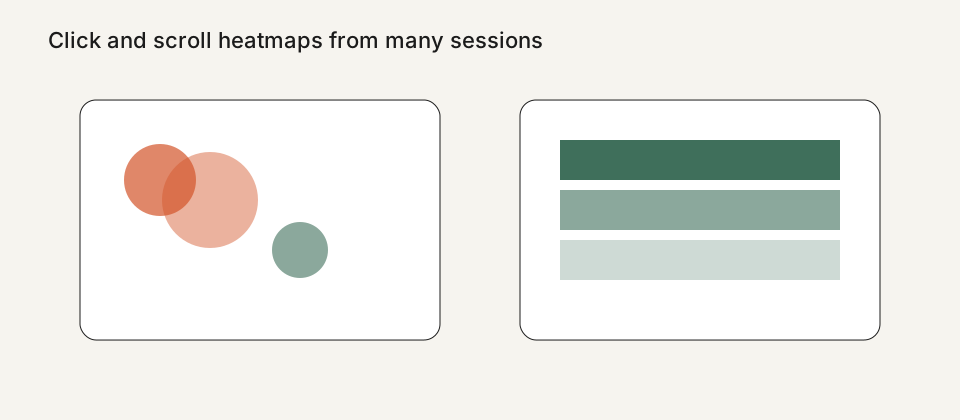
What Replayly heatmaps show
Pro and Business workspaces can open click heatmaps and scroll heatmaps for a page. A click map shows where taps and clicks clustered. A scroll map shows how far people typically reached, which helps you judge whether an important block sits below the fold for most devices.
Heatmaps are generated from the same recordings you already collect. They are a summary view, not a second tracker. That means the privacy defaults you set for replay — input masking, Do Not Track, consent mode, and block selectors — also shape what can appear in a heatmap.
How to use them with session replay
Start with the heatmap to find a pattern, then open individual sessions to understand the story. A hot button that never leads to the next step is a different problem from a cold button nobody notices. Replay is how you tell those apart.
Heatmaps do not replace A/B tests or analytics funnels. They also do not invent user intent. Treat a bright cluster as a clue, then confirm it in recordings and, if you have them, in your analytics tool.
What is not included today
Replayly does not ship surveys, feedback widgets, or funnels today. If those are required, a broader UX suite such as Hotjar may still be the right tool, or you can keep those products and use Replayly only for recordings. The compare pages are honest about that gap.
Overlay or element-level analytics beyond click and scroll maps are not promised here. If a future plan adds them, the changelog and fact sheet will say so.
Plans, privacy, and next steps
Heatmaps are available on Pro and Business. Free and Starter plans still include session replay so you can validate the tracker before you upgrade. Current prices and retention are on the pricing page.
Because heatmaps summarize many visits, it is especially important that inputs stay masked and that you do not record pages you are not allowed to record. Read the privacy controls guide before you enable the tracker on a production checkout or account area.
See all Replayly features, compare plans on the pricing page, or read Replayly vs Hotjar. Ready to try it? Create a workspace or follow the install guide.