Session replay
Session replay lets your team watch a reconstruction of a real visit — clicks, scrolls, and page changes — so you can see where people struggle without reading a raw event log.
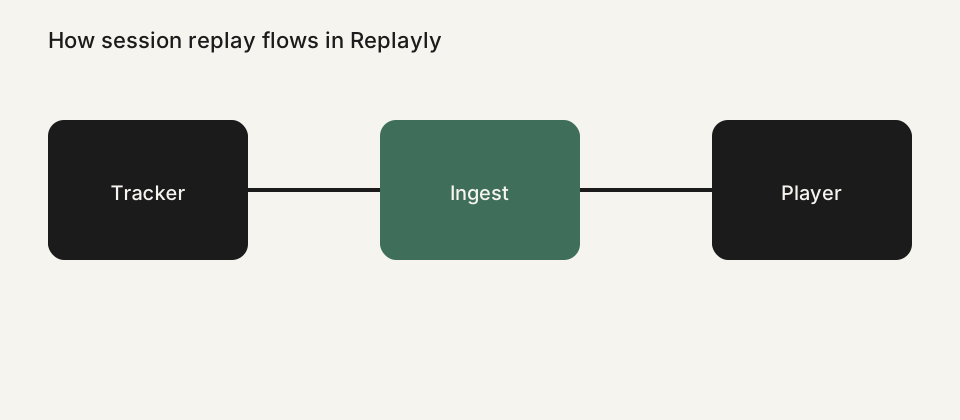
What you actually watch
A Replayly recording is a stream of DOM events captured by the tracker, not a video file from the user's camera or screen-sharing software. The player reconstructs the page in your dashboard so you can step through the visit at 1x, 2x, or faster, skip inactivity, and jump to markers such as rage clicks or console errors.
The session list is built for review, not just storage. Filter by device, browser, operating system, country, rage clicks, dead clicks, and console errors, then open a recording with a metadata panel beside the player. You can paginate long lists and delete sessions you no longer need.
How the tracker records a visit
You install one script tag with a project id. At runtime the tracker loads config for sampling, allowed domains, block selectors, and consent mode, then sends gzipped event batches to ingest. CORS, size caps, rate limits, plan quotas, and origin checks sit in front of Postgres and object storage so a busy site cannot overwhelm your workspace.
Because recordings are event streams, they stay relatively small compared with raw video, and they can honor privacy rules before data leaves the browser. Input values are masked by default. You can also respect Do Not Track, wait for consent, mask all text, and block CSS selectors on paid plans.
When session replay helps
Product and support teams use replay to answer questions that screenshots cannot: why a checkout stalled, whether an empty state was confusing, or if a JavaScript error appeared after a specific click. Agencies use it to show a client what happened, with sensitive fields already masked.
Replay is not a substitute for analytics or user interviews. It is the missing tape of an individual visit. Pair it with heatmaps on Pro and Business when you want aggregate click and scroll patterns, and with your existing error tracker when you need stack traces.
Hosting and limits
Replayly runs as a hosted workspace. You can choose an EU or US storage region for recordings. Plans set monthly session quotas and retention — the current numbers live on the pricing page and the product fact sheet, so this feature page does not invent a second price list.
If you are comparing tools, start with a one-to-one table such as Replayly versus Microsoft Clarity, or browse the features index for heatmaps, privacy controls, and storage regions.
See all Replayly features, compare plans on the pricing page, or read Replayly vs Microsoft Clarity. Ready to try it? Create a workspace or follow the install guide.